
Renting a house always involves bureaucracy, and one of the most frequent questions is how to check your tenancy agreement on the Finanças portal. Whether it is to submit your IRS (tax return), apply for housing support, or confirm that the document has been registered, you can do it all online in less than 5 minutes.
In this article, we show you the simple, hassle-free step-by-step process to check your tenancy agreement on Finanças.
What do you need before starting?
To access your tax information, you only need two things:
- Your NIF (Tax Identification Number).
- Your access password for the Portal das Finanças (or Chave Móvel Digital).
With these at hand, you are ready. Let's get to it!
Step-by-Step: Checking your Tenancy Agreement on the Portal das Finanças
Step 1: Access the Portal
The first step is to enter the official website. To save time, click directly on the official link for the Portal das Finanças.
Step 2: Log In
In the upper right corner, click on "Iniciar Sessão" (Log In) and enter your access credentials.
Step 3: Search for "Contratos"
After logging in, go to the portal's main search bar.
- Type "Contratos" in the search field.
- In the results that appear, click on the option that says "Consultar Contratos".
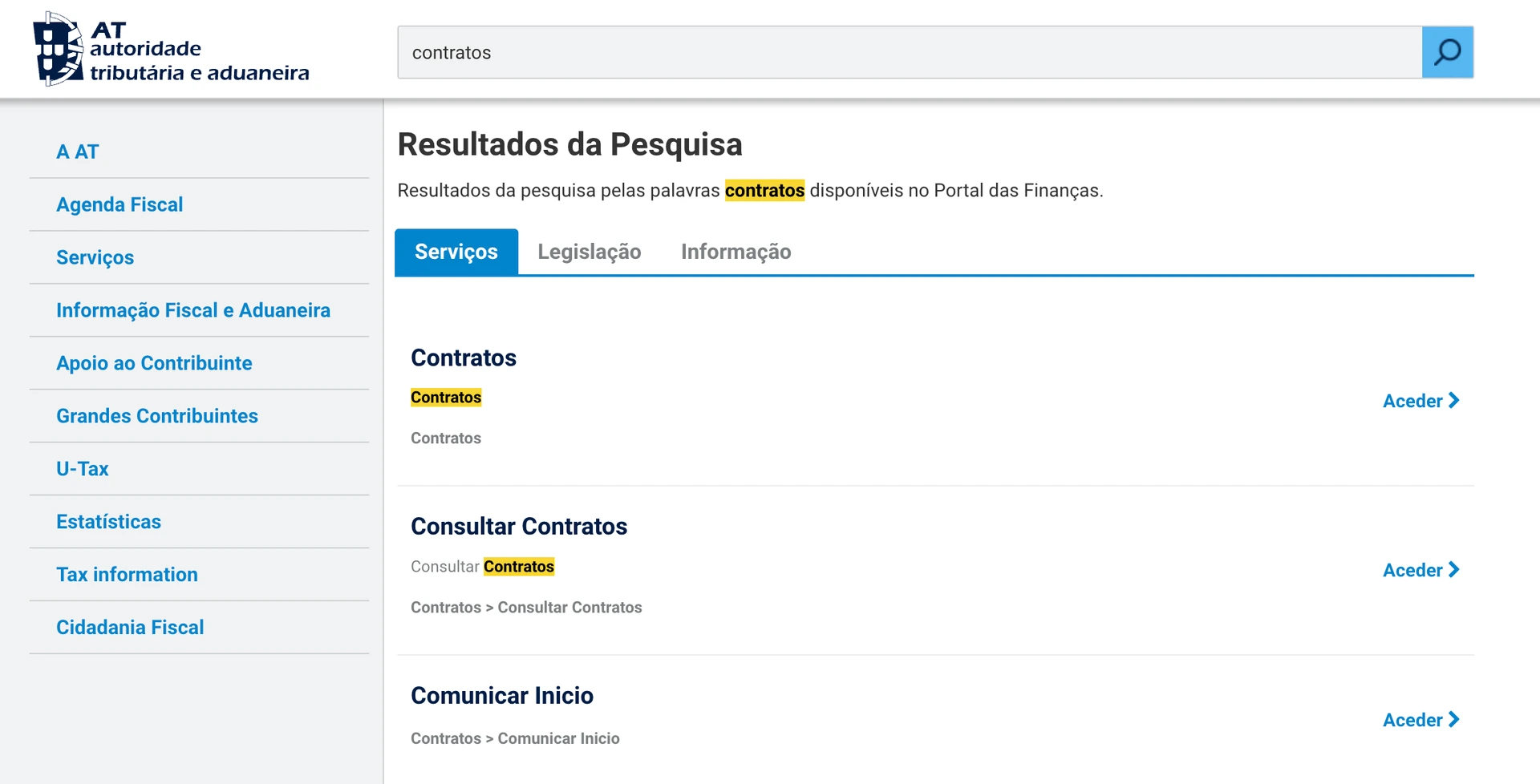
💡Extra Tip: If you prefer to manually navigate through the menus after logging in, the correct path is: Serviços > Arrendamento > Contratos > Consultar Contratos.
Step 4: Choose your role (Landlord or Tenant)
The portal will display a screen where you can filter your search. Here, you can choose whether you want to see agreements where you appear as the Locador (Landlord) or Locatário (Tenant). Select the option that applies to your case and click "Pesquisar" (Search).

Step 5: Check the tenancy agreement online
From here, you will see a list with the history of your tenancy agreements. To view the details of your current agreement, simply click on "Ver Detalhe" (View Details) or on the contract number.
If you need official proof to present to any entity, you can click the button to generate the PDF receipt and save it to your computer or phone.
FAQ
I am a tenant and my contract does not show up. What can I do?
If you did the search correctly and find nothing, the most likely reason is that the landlord has not yet registered the agreement with Finanças (they have until the end of the month following the start of the tenancy to do so). Talk to your landlord to see if there has been a delay.
Can the document from the Portal das Finanças serve as a legal proof of tenancy?
Yes. The PDF document you download from the Portal das Finanças, which includes the digital stamp and the contract number (Modelo 2), serves perfectly as legal proof that the tenancy is officially registered and active.